
The job market is bigger than your feed.
Go beyond the scroll. Wats0n searches the web for roles that fit your resume, helps you apply, and connects you with the people behind the opportunities.
Find my next opportunity
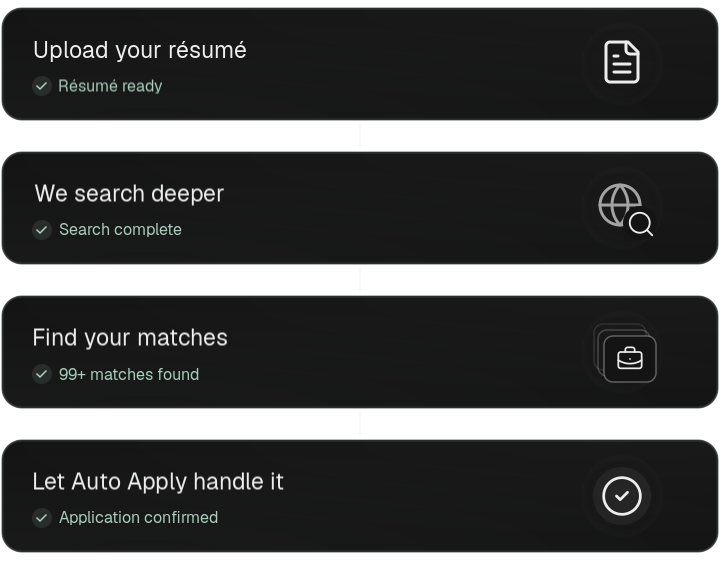
- Upload your resume
- We search deeper
- Find your matches
- Let Auto Apply handle it. Application confirmed.
Your next opportunity could be in one of these companies












Less searching.
More finding.
Your next role might never reach your feed. Give Wats0n your resume and a direction. It follows the trail across public hiring sources and brings back a shortlist with a reason behind every match.
Go deeper with your resumeYou choose the roles.
We auto apply for you.
The same resume. The same questions. Again and again. Let Auto Apply take on supported application forms while you focus on the opportunities worth your attention.
Put your resume to workJoin the network.
Meet your next connection.
Meet staff-reviewed recruiters, see what they’re looking for, and introduce yourself directly. Your career deserves more than a submit button.
Meet your next connection


From applications
to new chapters.
A platform-wide view of applications, interviews, and offers.
Because the next step is what matters.
Checking available seats…
Before you
make your move.
What does “deeper search” actually mean?
Wats0n uses your resume and preferences to explore public job listings, company career pages, and supported application systems. It brings the results together and ranks their relevance. These are public opportunities—not secret or exclusive job listings—and availability varies with your profile and the market.
Does Wats0n really apply for me?
Yes, on supported application forms, after you choose the jobs and authorize sharing your resume and contact details. Auto Apply prepares answers from your profile and resume, completes the form, and checks for confirmation. Sign-in requirements, verification challenges, or unsupported forms can require your help. Only confirmed submissions are treated as applied.
What does a fit score mean?
It is an AI estimate of how a role aligns with your experience and preferences, with a reason you can review. It is not a probability of getting hired. You stay in control of which roles to pursue.
Who are the recruiters in the network?
Recruiters apply to join Wats0n and are reviewed by our staff before appearing in the directory. Members can explore their hiring interests and start private conversations. Access does not guarantee a reply, an interview, or an offer.
Is this only for people who work in tech?
No. Your resume and preferences guide the search, not a fixed list of professions. The relevance and number of matches depend on the roles available in your field and location.
How do the member passes differ?
Silver includes 50 Auto Apply credits each week, Gold includes 200, and Obsidian includes 500. All three include deep job search, ranked matches, an application board, progress insights, and full support. Gold and Obsidian also include access to the recruiter network.
You didn’t come this far
to stay here.
More possibilities ahead.
The right people alongside you.